

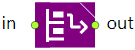
The Retrieve block retrieves an agent from a cell in the Storage or the Storage System and moves it to the specified destination location.
If transporters or resources are used to move the agent, Retrieve block seizes them, brings to the agent cell location, attaches resources to the agent, moves the agent to the destination, and then releases the resources.
You can configure the block to allow retrieving agents (material items) even if they are located in deep cells and are currently blocked by other agents. In this case it is assumed that the Retrieving time will include the time required to pull out the closer agents, retrieve the required agent and place the agents back into the storage. In case of FIFO flow and LIFO flow storages, after the agent retrieval, the remaining agents move to occupy the cell which became free. In case of Drive-in storage, the resource/transporter performing the retrieval, stops before the first occupied cell in the slot.
Demo model: Slotting Policies in Drive-in Storage Open the model page in AnyLogic Cloud. There you can run the model or download it (by clicking Model source files). Demo model: Slotting Policies in Drive-in StorageOpen the model in your AnyLogic desktop installation.- Agents move
-
Here you can define how the agent leaves the storage:
by transporters — the agent is carried by a transporter
by SRM — the agent is moved by an automated storage and retrieval machine (for example, a stacker crane system)
by resources — the agent is carried by a resource
independently — the agent moves on its ownName: resourceType
Type: RackResourceType
Valid values:
Retrieve.RESOURCE_TRANSPORTER — by transporters
Retrieve.RESOURCE_SRM — by SRM Retrieve.RESOURCE_PML — by resources
Retrieve.RESOURCE_NONE — independently -
[Visible and applies only if Agents move: by transporters]
Here you can specify a fleet that provides transporters to carry the agents from the storage.Type: TransporterFleet
Local variable: T agent — agent (material item) -
[Visible and applies only if Agents move: by resources]
Here you define a set of the required resources.Type: ResourcePool
Local variable: T agent — agent (material item) - Allow retrieving from deep position
-
If the option is selected, it will be possible to retrieve an agent (material item) even if it is located in a deep cell inside the slot and is currently blocked by other material items. Otherwise, retrieving the agent that is currently blocked, will raise an error.
Name: retrieveFromDeepPosition
Type: boolean
Set new value at runtime: set_retrieveFromDeepPosition(new value)
Default value: false -
[Visible and applies if Agents move: by transporters or
Agents move: by SRM and Load/Unload mode: by time]
The time required to unload the agent (material item) from the transporter or the SRM system.Name: autoselectOutputStationEnabled
Type: boolean
Set new value at runtime: set_autoselectOutputStationEnabled(new value)
Default value: true - Auto-select output stations
-
[Visible if Agents move: by SRM]
Defines whether the SRM automatically selects the unloading destination for retrieved agents. If selected, the automated SRM uses its working area and the properties in the Input/Output System section of its properties to select the destination; otherwise, you specify it using the Destination is property. - Destination is
-
[Visible and applies if Agents move: by transporters or
Agents move: by SRM and the Auto-select output station option is not selected]
Defines where the agent moves after it leaves the storage. Possible destinations are:Node — agent moves to the specified network node
Attractor — agent moves to the specified attractor
Path — agent moves to the specified path
Conveyor — agent moves to the specified conveyor
Position on conveyor — agent moves to the specified position on conveyor
Conveyor station — agent moves to the specified station
(x, y, z) — agent moves to the point with the specified coordinatesName: destinationTypeTransporter
Type: Retrieve.DestinationType
Set new value at runtime: set_destinationTypeTransporter(new value)
Valid values:
Retrieve.DEST_NODE — Node
Retrieve.DEST_ATTRACTOR — Attractor
Retrieve.DEST_PATH — Path
Retrieve.DEST_CONVEYOR — Conveyor
Retrieve.DEST_POSITION_ON_CONVEYOR — Position on conveyor
Retrieve.DEST_CONVEYOR_STATION — Conveyor station
Retrieve.DEST_XYZ — (x, y, z) -
[Visible and applies only if Destination is: Node or Node + (x, y, z)]
The network node the agent (material item) will move to.Type: INode
Local variables:
T agent — agent (material item)
T unit — transporter -
[Visible and applies only if Destination is: Attractor]
The attractor the agent (material item) will move to.Type: Attractor
Local variables:
T agent — agent (material item)
T unit — transporter -
[Visible and applies only if Destination is: Path]
The path the agent (material item) will move to.Type: Path
Local variables:
T agent — agent (material item)
T unit — transporter -
[Visible and applies only if Destination is: Conveyor]
The conveyor the agent (material item) will move to.Type: ConveyorPath
Local variables:
T agent — agent (material item)
T unit — transporter -
[Visible and applies only if Destination is: Path or Conveyor]
Defines how to calculate the offset of the exact point on a path or a conveyor the agent will move to: from The beginning of the conveyor/path or from The end of the conveyor/path.Type: boolean
Default value: true — The beginning of the conveyor/path
Local variables:
T agent — agent (material item)
T unit — transporter -
[Visible and applies only if Destination is: Path or Conveyor]
The distance from the start or end point of the path/conveyor (depends on the Offset from parameter) defining the exact destination point for the agent.Type: double
Local variables:
T agent — agent (material item)
T unit — transporter -
[Visible and applies only if Destination is: Position on conveyor]
The position on conveyor the agent (material item) will move to.Type: PositionOnConveyor
Local variables:
T agent — agent (material item)
T unit — transporter -
[Visible and applies only if Destination is: Conveyor station]
The station the agent (material item) will move to.Type: ConveyorStation
Local variables:
T agent — agent (material item)
T unit — transporter -
[Visible and applies only if Destination is: Conveyor, or Position on conveyor, or Conveyor station]
If selected, you will be able to change the orientation of the material item that enters the conveyor by selecting the new leading edge of the item in the Orientation field below.Type: boolean
Local variable: T agent — agent (material item) -
[Visible and applies only if Change orientation is selected]
If you need to rotate the material item when it is placed on the conveyor, choose here the side of the item that must be facing the direction of travel: Front, Rear, Left or Right.Type: AgentOrientation
Valid values:
AGENT_ORIENTATION_FRONT — Front
AGENT_ORIENTATION_REAR — Rear
AGENT_ORIENTATION_LEFT — Left
AGENT_ORIENTATION_RIGHT — Right
Local variable: T agent — agent (material item) -
[Visible and applies only if Destination is: (x, y, z)]
X, Y, Z coordinates of the point the agent will move to.Type: double
Local variables:
T agent — agent (material item)
T unit — transporter -
[Visible and applies only if Destination is: (x, y, z)]
Specifies where the coordinates that the agent (material item) will move to are located: either in the Level or in the Network.Type: boolean
Default value: false — Level
Local variables:
T agent — agent (material item)
T unit — transporter -
[Visible and applies only if ...located in: Level]
The level that contains the coordinates that the agent (material item) will move to.Type: Level
Local variables:
T agent — agent (material item)
T unit — transporter -
[Visible and applies only if ...located in: Network]
The network that contains the coordinates that the agent (material item) will move to.Type: INetwork
Local variables:
T agent — agent (material item)
T unit — transporter - Destination is
-
[Visible and applies if Agents move: independently or by resources]
Defines where the agent moves after it leaves the storage. Possible destinations are:Node — agent moves to the specified network node
Attractor — agent moves to the specified attractor
Seized resource unit — agent moves to the current location of the seized resource. The resource pool is specified in the Resource property below
Agent/unit — agent moves to the location of the specified agent
(x, y, z) — agent moves to the point with the specified coordinates
Node + (x, y, z) — agent moves to the specified node with the specified offsetName: destinationType
Type: Retrieve.DestinationType
Valid values:
Retrieve.DEST_NODE — Node
Retrieve.DEST_ATTRACTOR — Attractor
Retrieve.DEST_RESOURCE — Seized resource unit
Retrieve.DEST_AGENT — Agent/unit
Retrieve.DEST_XYZ — (x, y, z)
Retrieve.DEST_NODE_XYZ — Node + (x, y, z) -
[Visible and applies only if Agents move: independently or by resources, and Destination is: Node or Node + (x, y, z)]
The network node the agent (material item) will move to.Type: INode
Local variable: T agent — agent (material item) -
[Visible and applies only if Agents move: independently or by resources, and Destination is: Attractor]
The attractor the agent (material item) will move to.Type: Attractor
Local variable: T agent — agent (material item) -
[Visible and applies only if Agents move: independently or by resources, and Destination is: Seized resource unit]
The resource unit that the agent (material item) will move to.Type: ResourcePool
Local variable: T agent — agent (material item) -
[Visible and applies only if Agents move: independently or by resources, and Destination is: Agent/unit]
The specified agent that the agent (material item) will move to.Type: Agent
Local variable: T agent — agent (material item) -
[Visible and applies only if Agents move: independently or by resources, and Destination is: (x, y, z) or Node + (x, y, z)]
X, Y, Z coordinates of the point the agent will move to.Type: double
Local variable: T agent — agent (material item) - Take agent from
-
Here you can define the place where the agent leaves the storage. The following options are available:
cell — the agent is taken from the cell inside the storage, taking into account the Rack type and the Speed inside slot properties of the storage.
In FIFO flow and LIFO flow storages, material items can be retrieved only from the designated “retrieval” side. In case of LIFO flow storages, this side is the same as the “loading” side.
aisle — the agent is taken from the place in the aisle in front of the reserved slot at ground level. The movement inside the slot itself is not modeled, instead the agent “jumps” from its cell to the aisle. The storage type doesn't affect the movement.Name: takeAgentFrom
Type: Retrieve.TakeAgentFrom
Valid values:
Retrieve.TAKE_FROM_CELL — cell
Retrieve.TAKE_FROM_AISLE — aisle -
[Visible and applies only if Take agent from: cell]
Here you can specify the speed of the agent's vertical movement.Type: double
Default value: 0.2 meters per second
Local variables:
T agent — agent (material item)
T unit — transporter or resource unit - Load/unload mode
-
Defines how the operation time of the telescopic forks is calculated. The forks retrieve an agent from a storage sell and place it at the unloading location. One of the following:
time — the operation time is defined by the specified time interval
When the time option is selected, the operation time is configured using the properties below.
transfer speed — the operation time is calculated using the transfer speed of the stacker crane and the position of the cell within the slot
When the transfer speed option is selected, the operation time is calculated using the transfer speed of the SRM system.Name: loadUnloadDefinedBy
Type: RackLoadUnloadType
Default value: RackLoadUnloadType.RACK_LOAD_UNLOAD_TYPE_TIME — time
Valid values:
RackLoadUnloadType.RACK_LOAD_UNLOAD_TYPE_TIME — time
RackLoadUnloadType.RACK_LOAD_UNLOAD_TYPE_TRANSFER_SPEED — transfer speed -
[Visible if Take agent from: aisle or
Agents move: by SRM and Load/Unload mode: Time]
Defines the time it takes for the agent to reach the aisle from its cell.Type: double
Default value: 0
Local variables:
T agent — the agent (material item)
Storage storage — the storage
StorageSystem storageSystem — the storage system
StorageCell cell — the target cell
T unit — transporter or resource unit -
[Visible and applies if Agents move: by transporters]
The priority of the task for the incoming agent (the larger the higher).Type: double
Default value: 0
Local variable: T agent — agent (material item) -
[Visible and applies if Agents move: by transporters]
If the option is selected, this task may preempt other tasks of the requested transporter.Type: boolean
Default value: true
Local variable: T agent — agent (material item) -
[Visible and applies if Agents move: by transporters]
Here you can choose what happens when another task comes in for the transporter. The available options are:No preemption — the current task remains in execution.
Seize any resource — the current task is interrupted and the agent (material item) tries to seize any transporter of the specified type, taking into account the restrictions applied by the Resource choice condition property.Type: SeizeTransporter.TransporterTaskPreemptionPolicy
Default value: No preemption
Valid values:
Retrieve.TPP_NO_PREEMPTION — No preemption
Retrieve.TPP_WAIT_FOR_ORIGINAL_RESOURCE — Wait for original resource
Retrieve.TPP_SEIZE_ANY_RESOURCE — Seize any resource
Local variable: T agent — agent (material item) -
[Visible and applies if Agents move: by transporters]
Defines the behavior of the transporter after it was released by the agent. Depending on your choice, the transporter:Returns to current home location
Returns to the nearest home location — this location is selected from the list of the locations specified in the properties of TransporterFleet block). Once the transporter returns to the node that satisfies this condition, this node will become the current home location for this transporter.
Goes to... — goes to the location specified in the Destination is parameter below
Stays where it isType: ReleaseTransporter.TransporterReleaseMovingPolicy
Valid values:
Retrieve.MP_RETURNS_TO_HOME — Returns to current home location
Retrieve.MP_RETURNS_TO_NEAREST_HOME — Returns to the nearest home location
Retrieve.MP_GO_TO — Goes to...
Retrieve.MP_STAYS_WHERE_IT_IS — Stays where it is
Local variable: T unit — the released transporter -
Defines what the stacker crane does after completing an agent transfer operation. One of the following:
returns to home location — the stacker crane returns to its home position
stay where it is — the stacker crane remains at the position where the operation was completedType: SRMReleaseMovingPolicy
Valid values:
SRMReleaseMovingPolicy.SRM_RELEASE_MOVING_POLICY_GO_HOME — returns to home location
SRMReleaseMovingPolicy.SRM_RELEASE_MOVING_POLICY_STAYS_WHERE_IT_IS — stay where it is - Destination is
-
[Visible and applies only if After release, transporter: Goes to...]
Defines where the transporter will go to after being released. The possible destinations are:Node — transporter moves to the specified network node.
Attractor — transporter moves to the specified attractor.
Path — transporter moves to the specified path.
Conveyor — transporter moves to the specified conveyor.
Position on conveyor — transporter moves to the specified position on conveyor.
Conveyor station — transporter moves to the specified station.
(x, y, z) — transporter moves to the point with the specified coordinates.Name: transporterReleaseDestinationType
Type: ReleaseTransporter.DestinationType
Set new value at runtime: set_transporterReleaseDestinationType(new value)
Valid values:
Retrieve.RELEASE_NODE — Node
Retrieve.RELEASE_ATTRACTOR — Attractor
Retrieve.RELEASE_PATH — Path
Retrieve.RELEASE_CONVEYOR — Conveyor
Retrieve.RELEASE_POSITION_ON_CONVEYOR — Position on conveyor
Retrieve.RELEASE_CONVEYOR_STATION — Conveyor station
Retrieve.RELEASE_XYZ — (x, y, z) -
[Visible and applies only if After release, transporter: Goes to... and Destination is: Node]
The network node the transporter will go to.Type: INode
Local variable: T unit — transporter -
[Visible and applies only if After release, transporter: Goes to... and Destination is: Attractor]
The attractor the transporter will go to.Type: Attractor
Local variable: T unit — transporter -
[Visible and applies only if After release, transporter: Goes to... and Destination is: Path]
The path the transporter will go to.Type: Path
Local variable: T unit — transporter -
[Visible and applies only if After release, transporter: Goes to... and Destination is: Conveyor]
The conveyor the transporter will go to.Type: ConveyorPath
Local variable: T unit — transporter -
[Visible and applies only if After release, transporter: Goes to... and Destination is: Path or Conveyor]
Defines how to calculate the offset of the exact point on a path or a conveyor the transporter will go to: from The beginning of the conveyor/path or from The end of the conveyor/path.Type: boolean
Default value: true — The beginning of the conveyor/path
Local variable: T unit — transporter -
[Visible and applies only if After release, transporter: Goes to... and Destination is: Path or Conveyor]
The distance from the start or end point of the path/conveyor (depends on the Offset from parameter) defining the exact destination point for the transporter.Type: double
Local variable: T unit — transporter -
[Visible and applies only if After release, transporter: Goes to... and Destination is: Position on conveyor]
The position on conveyor the transporter will go to.Type: PositionOnConveyor
Local variable: T unit — transporter -
[Visible and applies only if After release, transporter: Goes to... and Destination is: Conveyor station]
The station the transporter will go to.Type: ConveyorStation
Local variable: T unit — transporter -
[Visible and applies only if After release, transporter: Goes to... and Destination is: (x, y, z)]
X, Y, Z coordinates of the point the transporter will go to.Type: double
Local variable: T unit — transporter -
[Visible and applies only if After release, transporter: Goes to... and Destination is: (x, y, z)]
Specifies where the transporter will be added to after the release: either Level or Network.Type: boolean
Default value: false — Level
Local variable: T unit — transporter -
[Visible and applies only if After release, transporter: Goes to... and ...located in: Level]
The level the transporter will be added to once it is released.Type: Level
Local variable: T unit — transporter -
[Visible and applies only if After release, transporter: Goes to... and ...located in: Network]
The network the transporter will be added to once it is released.Type: INetwork
Local variable: T unit — transporter -
[Visible and applies if Agents move: by transporters]
Defines the condition of the transporter's return after the release. It can either return only if there are no other tasks waiting for it, or each time return to the specified location first and only then move to perform the next task.Type: ReleaseTransporter.TransporterReleaseReturnPolicy
Valid values:
Retrieve.RP_IF_NO_OTHER_TASKS — if no other tasks
Retrieve.RP_EACH_TIME — each time
Local variable: T unit — the transporter that is currently released by the block - Customize transporter choice
-
[Visible and applies if Agents move: by transporters]
If the option is selected, you can choose the specific transporter to carry the agent from the storage (using the Transporter choice condition below).Name: customizeTransporterChoice
Type: boolean
Set new value at runtime: set_customizeTransporterChoice(new value) -
[Visible and applies if Customize transporter choice option is selected]
Here you can specify a boolean expression that will be checked to find the specific transporter that may perform the operation. If none of the currently available transporters satisfy the specified condition (the condition returns false), the block will wait for the first transporter that matches the condition to become available.
Usually you define some field inside the agent type (say, transport), store there the reference to the transporter when it starts working with this agent (agent.transport=transporter), and then specify here the condition agent.transport==transporter enabling only this particular transporter to continue working with this particular material item.Type: boolean
Local variables:
T agent — agent (material item)
T unit — transporter
TransporterFleet fleet — transporter fleet - Dispatching policy
-
[Visible and applies if Agents move: by transporters]
Here you specify how the block chooses a transporter to carry the agent from the storage. If the Customize transporter choice option is set, the transporter will be chosen from the subset returned by the algorithm in the Transporter choice condition parameter. The possible options are:Nearest to agent — A transporter that is the nearest to the current agent. The distance to the agent is calculated in a straight line, not taking into account any possible obstacles (for transporters with free space navigation) or the length of the actual route in the network (for transporters with path-guided navigation).
Shortest path to pickup location — A transporter whose route to the pickup location is the shortest.
The most preferred — AnyLogic will choose a transporter by comparing transporters to each other. You should place the comparison algorithm in the "unit1 is preferred to unit2" parameter below.
Transporter with top rating — A transporter with the top rating. You can define the rating (or rating calculation algorithm) in the Transporter rating parameter below.
Off (chooses some matching transporter) — The dispatching policy is not applied.Name: dispatchingPolicy
Type: SeizeTransporter.DispatchingPolicy
Set new value at runtime: set_dispatchingPolicy(new value)
Valid values:
Retrieve.DISPATCHING_POLICY_NEAREST — Nearest to agent
Retrieve.DISPATCHING_POLICY_SHORTEST_PATH — Shortest path to pickup location
Retrieve.DISPATCHING_POLICY_BASED_ON_COMPARISON — The most preferred
Retrieve.DISPATCHING_POLICY_BASED_ON_RATING_VALUE — Transporter with top rating
Retrieve.DISPATCHING_POLICY_SOME_TRANSPORTER — Off (chooses some matching transporter) -
[Visible and applies if Dispatching policy: The most preferred]
The comparison algorithm (or its call) that is used to select a transporter that will carry the given agent from the storage. The algorithm compares transporters to each other. It should return true if the transporter unit1 has higher preference than the transporter unit2 (and false otherwise, including the case of choice equality). The algorithm should provide transitiveness.Type: boolean
Default value: false
Local variables:
T unit1 — the first transporter to be compared
T unit2 — the second transporter to be compared
T agent — current agent (material item) -
[Visible and applies if Dispatching policy: Transporter with top rating]
The rating value of this transporter. The rating is used to choose a transporter for the given agent (the larger the higher, transporter with the top rating value will be chosen).Type: double
Default value: 0
Local variables:
T unit — transporter
T agent — current agent (material item) -
[Visible and applies only if Agents move: by resources]
The priority of the task for the agent (the larger the higher).Type: double
Default value: 0
Local variable: T agent — agent (material item) -
[Visible and applies only if Agents move: by resources]
If selected, the task defined by this block may preempt the currently performed task (if allowed in the task properties and the current task's priority is lower).Type: boolean
Default value: true
Local variable: T agent — agent (material item) -
[Visible and applies if Agents move: by resources]
Defines the task preemption policy:No preemption — the resource unit continues to execute the current task.
Wait for original resource — the current task is interrupted and waits for the same resource unit to finish it.
Seize any resource — the current task is interrupted and tries to seize any resource of the specified type, taking into account the restrictions applied by the Resource choice condition property.Type: TaskPreemptionPolicy
Default value: No preemption
Valid values:
Retrieve.RPP_NO_PREEMPTION — No preemption
Retrieve.RPP_WAIT_FOR_ORIGINAL_RESOURCE — Wait for original resource
Retrieve.RPP_SEIZE_ANY_RESOURCE — Seize any resource
Local variable: T agent — agent (material item) - After release resource
- [Visible and applies if Agents move: by resources]
Defines whether resources Return to home location (if they are not immediately seized by another agent) or Stay where they are after being released.Name: resourcesGoHome
Type: boolean
Set new value at runtime: set_resourcesGoHome(new value)
Default value: true — Return to home location
Local variables:
T agent — agent (material item)
T unit — resource unit -
[Visible and applies if After release resource: returns to home location]
Here you define when the resource units will return home after carrying the agent to the storage. There are several options:each time — the unit returns to its home location every time after it finishes the task and is released by the agent.
if no other tasks — the unit returns to its home location only if there are no other tasks in its queue.
custom — you can define the priority and preemption policy for the "return home" task using the parameters below. In this case the priority of the "return home" task will be compared to the priorities of other incoming tasks, and the specified preemption policy will be used to select the next task for this particular resource unit.Type: com.anylogic.libraries.processmodeling.WrapUpPolicy
Default value: each time
Valid values:
Retrieve.WRAP_UP_ALWAYS — each time
Retrieve.WRAP_UP_IF_NO_TASKS — if no other tasks
Retrieve.WRAP_UP_PRIORITY_BASED — custom
Local variables:
T agent — agent (material item)
T unit — resource unit -
[Visible and applies only if Return home: custom]
Here you can set up the priority of the "return home" task for the resource unit.
Type: double
Default value: 0
Local variables:
T agent — agent (material item)
T unit — resource unit -
[Visible and applies only if Return home: custom]
Specifies the policy of the "return home" task for the resource unit:
No preemption — "return home" task cannot be preempted
Terminate — "return home" task may be preempted and will be terminatedType: com.anylogic.libraries.processmodeling.ResourcePreemptionPolicy
Default value: No preemption
Valid values:
Retrieve.WPP_NO_PREEMPTION — No preemption
Retrieve.WPP_TERMINATE — Terminate
Local variables:
T agent — agent (material item)
T unit — resource unit - Customize resource choice
-
[Visible and applies if Agents move: by resources]
If the option is selected, you can choose a specific resource unit to carry the agent to the storage, using the Resource choice condition below.Name: customizeResourceChoice
Type: boolean
Default value: false -
[Visible and applies if Customize resource choice option is selected]
The Boolean expression that is checked to find the specific resource unit(s) that can perform the operation. If no currently available resource units matches the specified condition (the condition returns false), Retrieve will wait for the first resource unit that matches the condition.
For example, an agent can be assigned a helper resource unit that is stored in the myAssistant field within that agent. We need a particular resource unit, worker, to always be assigned to this specific agent. So in this case, the Resource choice condition is agent.myAssistant == worker.Type: boolean
Default value: true
Local variables:
T agent — agent (material item)
T unit — resource unit
ResourcePool pool — resource pool -
[Visible and applies if Agents move: by resources]
Specifies which resource units can be selected for the given agent.Off (chooses some matching unit) — No specific preference for the selection.
If Off is selected, the first unit that satisfies the Resource choice condition is selected; AnyLogic checks the idle units against the condition first, then the busy units.
Nearest to the agent — The resource unit that is closest to the current agent.
The most preferred — The resource unit is selected by comparing resources against each other. The comparison algorithm (or its call) is placed in the field unit1 is preferred to unit2.
Unit with top rating — The resource unit with the highest rating is selected. The rating (or the algorithm that calculates it) is specified by the user in the Unit rating field.
In all other cases, all units are scanned, including the busy ones, which means that this block’s task may displace theirs. If this does not suit you, consider using a more specific Resource choice condition.Type: com.anylogic.libraries.processmodeling.ResourceSelectionMode
Default value: Off (chooses some matching unit)
Valid values:
Retrieve.RESOURCE_SELECTION_SOME_UNIT — Off (chooses some matching unit)
Retrieve.RESOURCE_SELECTION_NEAREST — Nearest to the agent
Retrieve.RESOURCE_SELECTION_BASED_ON_COMPARISON — The most preferred
Retrieve.RESOURCE_SELECTION_BASED_ON_RATING_VALUE — Unit with top rating
Local variables:
T agent — agent (material item)
ResourcePool pool — resource pool -
[Visible and applies if Resource selection: The most preferred]
The comparison algorithm (or its call) that is used to choose a resource unit that will carry the agent from the storage. The algorithm compares resources to each other. It should return true if the resource unit1 has higher preference than the resource unit2 (and false otherwise, including the case of choice equality). The algorithm should provide transitiveness.Type: boolean
Default value: false
Local variables:
T unit1 — the first resource unit to be compared
T unit2 — the second resource unit to be compared
T agent — agent (material item) -
[Visible and applies if Resource selection: Unit with top rating]
The rating value of this unit. It is used to choose a unit for the given agent (the larger the higher, unit with the top rating value will be chosen). Usually an algorithm or a function call is placed here to calculate the rating with the help of the available local variables.Type: double
Local variables:
T agent — agent (material item)
T unit — resource unit - On enter
- Here you can type Java code that will be executed when the agent (material item) enters the block.
Local variables:
T agent — agent (material item)
StorageCell cell — cell - On seize transporter
- [Visible and applies if Agents move: by transporters]
Here you can type Java code that will be executed when the agent (material item) seizes the transporter that will retrieve it from the storage.Local variables:
T agent — agent (material item)
T unit — transporter - On seize SRM
- [Visible if Agents move: by SRM]
The Java code that will be executed when the agent (material item) seizes the SRM unit (for example, a stacker crane) that will retrieve it from the storage.Local variables:
T agent — the agent (material item)
T unit — the stacker crane
int rack — the idex of the source rack - On seize resource
- [Visible and applies if Agents move: by resources]
Here you can type Java code that will be executed when the agent (material item) seizes the resource unit that will retrieve it from the storage.Local variables:
T agent — agent (material item)
T unit — resource unit - On retrieval start
- [Visible and applies if Take agent from: aisle]
Here you can type Java code that will be executed when the retrieval process begins.Local variables:
T agent — the agent (material item)
T unit — the resource unit, transporter, or SRM
double retrievingTime — the delay time
StorageCell cell — the cell - On retrieval finished
- [Visible and applies if Take agent from: aisle]
Here you can type Java code that will be executed when the retrieval process ends.Local variable: T agent — the agent (material item) - On unloading start
- [Visible and applies if Agents move: by transporters]
Here you can type Java code that will be executed when the unloading of the agent (material item) from the seized transporter begins.Local variables:
T agent — the agent (material item)
T unit — the transporter or the SRM unit - On unloading finished
- [Visible and applies if Agents move: by transporters]
Here you can type Java code that will be executed when the unloading of the agent (material item) from the seized transporter ends.Local variables:
T agent — the agent (material item)
T unit — the transporter or the SRM unit - On resource arrived
- [Visible and applies if Agents move: by resources]
Here you can type Java code that will be executed when the resource unit arrives to retrieve the agent (material item).Local variables:
T agent — agent (material item)
T unit — resource unit - On release transporter
- [Visible and applies if Agents move: by transporters]
Here you can type Java code that will be executed when the agent (material item) releases the transporter.Local variables:
T agent — agent (material item)
T unit — transporter - On release resource
- [Visible and applies if Agents move: by resources]
Here you can type Java code that will be executed when the agent (material item) releases the resource unit.Local variables:
T agent — agent (material item)
T unit — resource unit - On exit
- Here you can type Java code that will be executed when the agent (material item) leaves the block.
Local variable: T agent — the agent (material item)
- On remove
- Here you can type Java code that will be executed when the agent is removed from the block by the call of remove() function.
Local variable: T agent — the agent (material item)
- On task suspended
- [Visible and applies only if Agents move: by resources or by transporters; Task preemption policy: Seize any resource or Wait for original resource]
Here you can type Java code that will be executed when agent task is suspended because of the Seize any resource preemption policy, when the resource or transporter is seized by a different task with a higher priority.Local variables:
T agent — material item
T unit — resource unit - On task resume
- [Visible and applies only if Agents move: by resources or by transporters; Task preemption policy: Seize any resource or Wait for original resource]
Here you can type Java code that will be executed when the agent task resumes after it has been suspended because of Seize any resource preemption policy.Local variables:
T agent — material item
T unit — resource unit
| Function | Description |
|---|---|
| int nWaitingForResource() | The number of agents (material items) waiting for resources in the block. |
| remove(Agent agent) |
Removes the agent from the block. Agent agent — a given agent (material item) that is currently residing in the block
There are some nuances in model behavior when this function is called, depending on how the agent (material item) moves from the storage and the timing of the function call.
|
| recalculateResourceChoiceConditions(Agent agent) |
Recalculates choice conditions for the given agent that is currently waiting in the queue of this block. You can use this function when some resource units that previously weren't available to a particular agent may have become seizable due to changed conditions. Agent agent — an agent (material item) that is currently waiting in the queue of this block |
| recalculateResourceChoiceConditions() | Recalculates choice conditions for all agents currently waiting in the queue of this block. You can use this function when some resource units that previously weren't available may have become seizable due to changed conditions. |
| recalculateAgentPriority(Agent agent) |
Recalculates task priority for the given agent that is currently waiting in the queue of this block. This action may trigger preemption of resource units. Agent agent — an agent (material item) that is currently waiting in the queue of this block |
| recalculatePriorities() | Recalculates task priority for all agents currently waiting in the queue of this block. This action may trigger preemption of resource units. |
-
Agents move: by transporters
- If the agent is waiting for an available transporter when the function is called, the agent is removed. The transporter task is cancelled.
- If the function is called when the transporter is moving to retrieve the agent from the storage, but it has not reached the slot yet, the agent is removed. The transporter is released and moves to its home location (provided that there are no other tasks).
- The agent cannot be removed if the function is called when the transporter has started the retrieval process (is moving inside the slot, during the Retrieving time period, is in loading state)
- The agent cannot be removed if the function is called when the transporter has retrieved the agent from the storage and is currently carrying it to the specified destination.
-
Agents move: by resources
- If the function is called when the agent is waiting for the resource unit or is being moved by the resource unit away from the slot, the agent is removed. The resource task is cancelled. The resource unit goes back to its home location (provided that there are no other tasks).
- The agent cannot be removed if the function is called when the agent is moving inside the slot, or during the Retrieving time period, or when the agent is moving down from the upper shelves to the ground.
-
Agents move: independently
- If the agent is moving away from the slot when the function is called, it is removed from the block.
- The agent cannot be removed if the function is called during the Retrieving time period, when the agent is leaving the slot, or when the agent is moving down from the upper shelves to the ground.
- in
- The input port.
- out
- The output port.
-
How can we improve this article?
-