

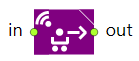
It is the block that performs transportation of an agent by a transporter. You define a fleet of transporters of a certain type using the TransporterFleet block. An example of a transporter is an AGV (automated guided vehicle). Path-guided transporters move along network paths. By default transporters take the shortest route. If needed, you can manage the routing by yourself by providing the path selection algorithm in the corresponding TransporterFleet block.
The MoveByTransporter block provides a complete set of parameters for seizing a transporter, loading it with the required agent, sending it to the specified location, unloading the agent there, and finally releasing the transporter.
Seizing and releasing actions can be modeled by the corresponding SeizeTransporter and ReleaseTransporter blocks (use them to design a more detailed agent transportation flowchart). In this case, make sure to disable the Seize transporter and Release transporter parameters of this MoveByTransporter block.
Once the transporter is seized and sent to fetch the agent (material item) it will choose the shortest path to the specified destination. If the required destination is not in the network, the transporter will come as close as it can to it.
Demo model: MoveByTransporter Open the model page in AnyLogic Cloud. There you can run the model or download it (by clicking Model source files). Demo model: MoveByTransporterOpen the model in your AnyLogic desktop installation.- Destination is
-
Defines where the transporter will take the agent to. The possible destinations are:
Node — transporter is sent to the specified network node
When moving to a destination defined by (x, y, z), Node, or Attractor, the destination points to the center of the moving transporter, and not the center of the agent (material item) being carried. However, this property defines the destination for the agent, rather than the transporter itself. When the transporter is released, the agent is immediately placed at the specified destination, unless its position was explicitly changed by the user after the transporter arrived at the destination and before it was released.
Attractor — transporter is sent to the specified attractor
Path — transporter is sent to the specified path
Conveyor — transporter is sent to the specified conveyor
Position on conveyor — transporter is sent to the specified position on conveyor
Conveyor station — transporter is sent to the specified station
(x, y, z) — transporter is sent to the point with the specified coordinatesName: destinationType
Type: MoveByTransporter.DestinationType
Set new value at runtime: set_destinationType(new value)
Valid values:
MoveByTransporter.DEST_NODE — Node
MoveByTransporter.DEST_ATTRACTOR — Attractor
MoveByTransporter.DEST_PATH — Path
MoveByTransporter.DEST_CONVEYOR — Conveyor
MoveByTransporter.DEST_POSITION_ON_CONVEYOR — Position on conveyor
MoveByTransporter.DEST_CONVEYOR_STATION — Conveyor station
MoveByTransporter.DEST_XYZ — (x, y, z) - [Visible and applies only if Destination is: Node]
The network node the transporter will move to.Type: Node
Local variables:
T agent — the agent
Agent unit — the transporter - [Visible and applies only if Destination is: Attractor]
The attractor the transporter will move to.Type: Attractor
Local variables:
T agent — the agent
Agent unit — the transporter - [Visible and applies only if Destination is: Path]
The path the transporter will move to.Type: Path
Local variables:
T agent — the agent
Agent unit — the transporter - [Visible and applies only if Destination is: Conveyor]
The conveyor the transporter will move to.Type: ConveyorPath
Local variables:
T agent — the agent
Agent unit — the transporter - [Visible and applies only if Destination is: Path or Conveyor]
Defines how to calculate the offset of the exact point on a path or a conveyor the transporter will move to: from The beginning of the conveyor/path or from The end of the conveyor/path.Type: boolean
Default value: true — The beginning of the conveyor/path
Local variables:
T agent — the agent
Agent unit — the transporter - [Visible and applies only if the Destination is: Path or Conveyor]
The distance from the start or end point of the path/conveyor (depends on the Offset from parameter) defining the exact destination point for the transporter.Type: double
Local variables:
T agent — the agent
Agent unit — the transporter - [Visible and applies only if the Destination is: Conveyor]
Select this option to enable the change of Orientation for the material item that enters the conveyor (use Orientation drop-down list below to select the new leading edge of the item).Type: boolean
Local variable: T agent — the current material item - [Visible and applies only if the Change orientation option is selected]
Here you can select the material item's leading edge (i.e. the side of the item that will should face the direction of conveyor movement):Front
Rear
Left
RightType: AgentOrientation
Local variable: T agent — the current material item
Valid values:
AGENT_ORIENTATION_FRONT — Front
AGENT_ORIENTATION_REAR — Rear
AGENT_ORIENTATION_LEFT — Left
AGENT_ORIENTATION_RIGHT — Right - [Visible and applies only if Destination is: Position on conveyor]
The position on conveyor the transporter will move to.Type: PositionOnConveyor
Local variables:
T agent — the agent
Agent unit — the transporter - [Visible and applies only if Destination is: Conveyor station]
The station the transporter will move to.Type: ConveyorStation
Local variables:
T agent — the agent
Agent unit — the transporter - [Visible and applies only if Destination is: (x, y, z)]
X, Y, Z coordinates of the point the transporter will move to.Type: double
Local variables:
T agent — the agent
Agent unit — the transporter - [Visible and applies only if Destination is: (x, y, z)]
Specifies where the agent (material item) will be added to upon releasing the transporter: either Level or Network.Type: boolean
Default value: false
Local variables:
T agent — the agent (material item)
Agent unit — the transporter - [Visible and applies only if ...located in Level option is selected]
The level where the agent will be added once the transporter is released.Type: Level
Local variables:
T agent — the agent (material item)
Agent unit — the transporter - [Visible and applies only if ...located in Network option is selected]
The network the agent will be added to once the transporter is released.Type: INetwork
Local variables:
T agent — the agent (material item)
Agent unit — the transporter
- Seize transporter
- Allows this block to seize one transporter from the specified fleet defined by the TransporterFleet block. A transporter must be seized to move the agent. Make sure that either this option is enabled and set or you have a properly configured SeizeTransporter block in your flowchart placed before this MoveByTransporter block.
Name: seizeTransporter
Type: boolean
Set new value at runtime: set_seizeTransporter(new value) - [Visible and applies only if Seize transporter option is enabled]
The TransporterFleet block defining the fleet of transporters. This block will seize one transporter from this fleet.Type: TransporterFleet
Local variable: T agent — the agent (material item) - [Visible and applies only if Seize transporter option is enabled]
The time required for the agent (material item) to be loaded onto the transporter.Type: double
Default value: triangular( 0.5, 1, 1.5 ) seconds
Local variable: T agent — the agent (material item) - Pickup location is
- [Visible and applies only if the Seize transporter option is enabled]
Defines the location the transporter will pick up the agent (material agent) from. The location can be represented by:Agent — transporter is sent to the current agent location
Node — transporter is sent to the specified network node
Attractor — transporter is sent to the specified attractor
Path — transporter is sent to the specified path
Conveyor — transporter is sent to the specified conveyor
Position on conveyor — transporter is sent to the specified position on conveyor
Conveyor station — transporter is sent to the specified station
(x, y, z) — transporter is sent to the point with the specified coordinatesName: seizeDestinationType
Type: SeizeTransporter.DestinationType
Set new value at runtime: set_seizeDestinationType(new value)
Valid values:
MoveByTransporter.PICKUP_AGENT — Agent
MoveByTransporter.PICKUP_NODE — Node
MoveByTransporter.PICKUP_ATTRACTOR — Attractor
MoveByTransporter.PICKUP_PATH — Path
MoveByTransporter.PICKUP_CONVEYOR — Conveyor
MoveByTransporter.PICKUP_POSITION_ON_CONVEYOR — Position on conveyor
MoveByTransporter.PICKUP_CONVEYOR_STATION — Conveyor station
MoveByTransporter.PICKUP_XYZ — (x, y, z) - [Visible and applies only if Pickup location is: Node]
The network node the transporter will move to.Type: Node
Local variables:
T agent — the agent (material item)
Agent unit — the transporter - [Visible and applies only if Pickup location is: Attractor]
The attractor the transporter will move to.Type: Attractor
Local variables:
T agent — the agent (material item)
Agent unit — the transporter - [Visible and applies only if Pickup location is: Path]
The path the transporter will move to.Type: Path
Local variables:
T agent — the agent (material item)
Agent unit — the transporter - [Visible and applies only if Pickup location is: Conveyor]
The conveyor the transporter will move to.Type: ConveyorPath
Local variables:
T agent — the agent (material item)
Agent unit — the transporter - [Visible and applies only if Pickup location is: Path or Conveyor]
Defines how to calculate the offset of the exact point on a path or a conveyor the transporter will move to: from The beginning of the conveyor/path or from The end of the conveyor/path.Type: boolean
Default value: true — The beginning of the conveyor/path
Local variables:
T agent — the agent (material item)
Agent unit — the transporter - [Visible and applies only if the Pickup location is: Path or Conveyor]
The distance from the start or end point of the path/conveyor (depends on the Offset from parameter) defining the exact destination point for the transporter.Type: double
Local variables:
T agent — the agent (material item)
Agent unit — the transporter - [Visible and applies only if the Pickup location is: Position on conveyor]
The position on conveyor the transporter will move to.Type: PositionOnConveyor
Local variables:
T agent — the agent (material item)
Agent unit — the transporter - [Visible and applies only if the Pickup location is: Conveyor station]
The station the transporter will move to.Type: ConveyorStation
Local variables:
T agent — the agent (material item)
Agent unit — the transporter - [Visible and applies only if Pickup location is: (x, y, z)]
X, Y, Z coordinates of the point the transporter will move to.Type: double
Local variables:
T agent — the agent (material item)
Agent unit — the transporter - [Visible and applies only if Pickup location is: (x, y, z)]
Specifies where the transporter will be added to after cancellation: either Level or Network.Type: boolean
Default value: false
Local variables:
T agent — the agent (material item)
Agent unit — the transporter - [Visible and applies only if Pickup location is: (x, y, z) and ...located in: Level option is selected]
The level the transporter will move to pickup the agent.Type: Level
Local variables:
T agent — the agent (material item)
Agent unit — the transporter - [Visible and applies only if Pickup location is: (x, y, z) and ...located in: Network option is selected]
The network the transporter will move to pickup the agent.Type: INetwork
Local variables:
T agent — the agent (material item)
Agent unit — the transporter - [Visible and applies only if Seize transporter option is enabled]
The Task priority of the task for the incoming agent (the larger the higher).Type: double
Default value: 0
Local variable: T agent — the agent - [Visible and applies only if Seize transporter option is enabled]
If the option is selected, this task may preempt other tasks of the requested transporter.Type: boolean
Default value: true
Local variable: T agent — the agent - [Visible and applies only if Seize transporter option is enabled]
Here you can choose what is done when some other task incomes for the transporter.No preemption — the current task continues executing
Seize any resource — the task is interrupted and tries to seize any transporter of the specified typeType: SeizeTransporter.TransporterTaskPreemptionPolicy
Default value: No preemption
Local variable: T agent — the agent
Valid values:
MoveByTransporter.PP_NO_PREEMPTION — No preemption
MoveByTransporter.PP_SEIZE_ANY_RESOURCE — Seize any resource - Customize transporter choice
- [Visible and applies only if the Seize transporter option is enabled]
If the option is selected, you can choose the specific transporter for the operation (using the Transporter choice condition below).Name: customizeTransporterChoice
Type: boolean
Set new value at runtime: set_customizeTransporterChoice(new value) - [Visible if the Customize transporter choice option is selected]
Here you can specify a boolean expression that will be checked to find the specific transporter that may perform the operation. If none of the currently available transporters satisfy the specified condition (the condition returns false), the block will wait for the first transporter that matches the condition to become available. Usually you define some field inside the agent type (say, transport), store there the reference to the transporter when it starts working with this agent (agent.transport=transporter), and then specify here the condition agent.transport==transporter enabling only this particular transporter to continue working with this particular agent — material item.Type: boolean
Local variables:
T agent — the agent
Agent unit — the transporter
TransporterFleet fleet — the fleet - Dispatching policy
- [Visible and applies only if the Seize transporter option is enabled]
Here you specify how the block chooses a transporter to perform the agent transportation. If the Customize transporter choice option is set, the transporter will be chosen from the subset returned by the algorithm in the Transporter choice condition parameter. The possible options are:Nearest to agent — A transporter that is the nearest to the current agent. The distance to the agent is calculated in a straight line, not taking into account any possible obstacles (for transporters with free space navigation) or the length of the actual route in the network (for transporters with path-guided navigation).
Shortest path to pickup location — A transporter whose route to the pickup location is the shortest.
The most preferred — AnyLogic will choose a transporter by comparing transporters to each other. You should place the comparison algorithm in the unit1 is preferred to unit2 parameter below.
Transporter with top rating — A transporter with the top rating. You can define the rating (or rating calculation algorithm) in the Transporter rating parameter below.
Off (chooses some matching transporter) — The dispatching policy is not applied.Name: dispatchingPolicy
Type: SeizeTransporter.DispatchingPolicy
Default value: Nearest to agent
Set new value at runtime: set_dispatchingPolicy(new value)
Valid values:
MoveByTransporter.DISPATCHING_POLICY_NEAREST — Nearest to agent
MoveByTransporter.DISPATCHING_POLICY_SHORTEST_PATH — Shortest path to pickup location
MoveByTransporter.DISPATCHING_POLICY_BASED_ON_COMPARISON — The most preferred
MoveByTransporter.DISPATCHING_POLICY_BASED_ON_RATING_VALUE — Transporter with top rating
MoveByTransporter.DISPATCHING_POLICY_SOME_TRANSPORTER — Off (chooses some matching transporter) - [Visible and applies only if Dispatching policy: The most preferred]
The comparison algorithm (or its call) that is used for choosing a transporter for the given agent. The algorithm compares transporters to each other. It should return true if the transporter unit1 has higher preference than the transporter unit2 (and false otherwise, including the case of choice equality). The algorithm should provide transitiveness.Type: boolean
Local variables:
Agent unit1 — the first transporter to be compared
Agent unit2 — the second transporter to be compared
T agent — the current agent - [Visible and applies only if Dispatching policy: Transporter with top rating]
The rating value of this transporter. The rating is used to choose a transporter for the given agent (the larger the higher, transporter with the top rating value will be chosen).Type: double
Default value: 0
Local variables:
Agent unit — the transporter
T agent — the current agent - [Visible and applies only if the Seize transporter option is enabled]
Here you specify how the block handles the current agent operation when the downtime occurs for the transporter. The possible options are:agent waits for original transporter — Agent will wait until the current transporter finishes its downtime task and then will complete the transportation task using this particular transporter.
agent seizes another transporter — Agent will not wait for the original transporter to complete its operation, but will try to seize other transporter.
transporter finishes its task — First, the transporter completes its current transportation task, and only then the downtime task starts for this transporter.
task is terminated — The current agent's task is terminated and will not be completed.Type: SeizeTransporter.TransporterTaskPreemptionPolicy
Default value: agent waits for original transporter
Local variables:
Agent unit — the transporter
T agent — the current agent
Downtime downtime — the Downtime block, which defines the current downtime task
Valid values:
MoveByTransporter.PP_WAIT_FOR_ORIGINAL — agent waits for original transporter
MoveByTransporter.PP_SEIZE_ANY_RESOURCE — agent seizes another transporter
MoveByTransporter.PP_NO_PREEMPTION — transporter finishes its task
MoveByTransporter.PP_TERMINATE — task is terminated - [Visible and applies only if On downtime: task is terminated]
Here you specify the Enter block that takes the current agent (material item) whose transportation task was terminated by the transporter’s downtime task. This block usually acts as a starting point of a flowchart defining the process that handles the terminated agents.Type: Enter
Local variables:
Agent unit — the transporter whose downtime task has terminated the agent’s transportation task
T agent — the current agent (material item) - [Visible and applies only if Seize transporter option is enabled]
Defines the behavior of the transporter that had been seized by the time the agent was already removed from this block either due to timeout/preemption or by the call of the remove() function. Depending on your choice, the transporter:Returns to current home location
Returns to the nearest home location (selected from the list of the locations specified in the properties of the TransporterFleet block). Once the transporter returns to the node that satisfies this condition, this node will become the current home location for this transporter.
Goes to... — the location specified in the Destination is parameter
Stays where it isType: ReleaseTransporter.TransporterReleaseMovingPolicy
Local variable: Agent unit — the canceled transporter
Valid values:
SeizeTransporter.MP_RETURNS_TO_HOME — Returns to current home location
SeizeTransporter.MP_RETURNS_TO_NEAREST_HOME — Returns to the nearest home location
SeizeTransporter.MP_GO_TO — Goes to...
SeizeTransporter.MP_STAYS_WHERE_IT_IS — Stays where it is - Destination is
- [Visible and applies only if Canceled transporter: Goes to...]
Defines where the transporter will move after being canceled. The possible destinations are:Node — transporter moves to the specified network node
Attractor — transporter moves to the specified attractor
Path — transporter moves to the specified path
Conveyor — transporter moves to the specified conveyor
Position on conveyor — transporter moves to the specified position on conveyor
Conveyor station — transporter moves to the specified station
(x, y, z) — transporter moves to the point with the specified coordinatesName: canceledDestinationType
Type: ReleaseTransporter.DestinationType
Set new value at runtime: set_canceledDestinationType(new value)
Valid values:
MoveByTransporter.CANCELED_NODE — Node
MoveByTransporter.CANCELED_ATTRACTOR — Attractor
MoveByTransporter.CANCELED_PATH — Path
MoveByTransporter.CANCELED_CONVEYOR — Conveyor
MoveByTransporter.CANCELED_POSITION_ON_CONVEYOR — Position on conveyor
MoveByTransporter.CANCELED_CONVEYOR_STATION — Conveyor station
MoveByTransporter.CANCELED_XYZ — (x, y, z) - [Visible and applies only if Canceled transporter: Goes to... and Destination is: Node]
The network node the transporter will move to.Type: Node
Local variables:
Agent unit — the transporter - [Visible and applies only if Canceled transporter: Goes to... and Destination is: Attractor]
The attractor the transporter will move to.Type: Attractor
Local variable: Agent unit — the transporter - [Visible and applies only if Canceled transporter: Goes to... and Destination is: Path]
The path the transporter will move to.Type: Path
Local variable: Agent unit — the transporter - [Visible and applies only if Canceled transporter: Goes to... and Destination is: Conveyor]
The conveyor the transporter will move to.Type: ConveyorPath
Local variable: Agent unit — the transporter - [Visible and applies only if Canceled transporter: Goes to... and Destination is: Path or Conveyor]
Defines how to calculate the offset of the exact point on a path or a conveyor the transporter will move to: from The beginning of the conveyor/path or from The end of the conveyor/path.Type: boolean
Default value: true — The beginning of the conveyor/path
Local variable: Agent unit — the transporter - [Visible and applies only if Canceled transporter: Goes to... and Destination is: Path or Conveyor]
The distance from the start or end point of the path/conveyor (depends on the Offset from parameter) defining the exact destination point for the transporter.Type: double
Local variable: Agent unit — the transporter - [Visible and applies only if Canceled transporter: Goes to... and Destination is: Position on conveyor]
The position on conveyor the transporter will move to.Type: PositionOnConveyor
Local variable: Agent unit — the transporter - [Visible and applies only if Canceled transporter: Goes to... and Destination is: Conveyor station]
The station the transporter will move to.Type: ConveyorStation
Local variable: Agent unit — the transporter - [Visible and applies only if Canceled transporter: Goes to... and Destination is: (x, y, z)]
X, Y, Z coordinates of the point the transporter will move to.Type: double
Local variable: Agent unit — the transporter - [Visible and applies only if Canceled transporter: Goes to... and Destination is: (x, y, z)]
Specifies where the transporter will be added to after cancellation: either Level or Network.Type: boolean
Default value: false
Local variable: Agent unit — the transporter - [Visible and applies only if Canceled transporter: Goes to... and ...located in: Level option is selected]
The level the transporter will be added to once it is canceled.Type: Level
Local variable: Agent unit — the transporter - [Visible and applies only if Canceled transporter: Goes to... and ...located in: Network option is selected]
The network the transporter will be added to once it is canceled.Type: INetwork
Local variable: Agent unit — the transporter
- Release transporter
- If selected (true), this block releases the previously seized transporter. The transporter could have been seized either by this block or by the SeizeTransporter block.
Name: releaseTransporter
Type: boolean
Set new value at runtime: set_releaseTransporter(new value) - [Visible and applies only if Release transporter option is enabled]
The time required for the agent (material item) to be unloaded from the transporter.Type: double
Local variable: T agent — the agent - [Visible and applies only if Release transporter option is enabled]
Defines the behavior of the released transporter. Depending on your choice, the transporter:Returns to current home location
Returns to the nearest home location (selected from the list of the locations specified in the properties of the TransporterFleet block). Once the transporter returns to the node that satisfies this condition, this node also becomes the current home location for this transporter.
Goes to... — the location specified in the Destination is parameter
Stays where it isType: ReleaseTransporter.TransporterReleaseMovingPolicy
Local variable: T unit — the transporter that is currently released by the block
Valid values:
ReleaseTransporter.MP_RETURNS_TO_HOME — Returns to current home location
ReleaseTransporter.MP_RETURNS_TO_NEAREST_HOME — Returns to the nearest home location
ReleaseTransporter.MP_GO_TO — Goes to...
ReleaseTransporter.MP_STAYS_WHERE_IT_IS — Stays where it is - Destination is
- [Visible and applies only if Transporter: Goes to...]
Defines where the transporter will move after being released. The possible destinations are:Node — transporter moves to the specified network node
Attractor — transporter moves to the specified attractor
Path — transporter moves to the specified path
Conveyor — transporter moves to the specified conveyor
Position on conveyor — transporter moves to the specified position on conveyor
Conveyor station — transporter moves to the specified station
(x, y, z) — transporter moves to the point with the specified coordinatesName: destinationType
Type: ReleaseTransporter.DestinationType
Set new value at runtime: set_destinationType(new value)
Valid values:
MoveByTransporter.RELEASE_NODE — Node
MoveByTransporter.RELEASE_ATTRACTOR — Attractor
MoveByTransporter.RELEASE_PATH — Path
MoveByTransporter.RELEASE_CONVEYOR — Conveyor
MoveByTransporter.RELEASE_POSITION_ON_CONVEYOR — Position on conveyor
MoveByTransporter.RELEASE_CONVEYOR_STATION — Conveyor station
MoveByTransporter.RELEASE_XYZ — (x, y, z) - [Visible and applies only if Transporter: Goes to... and Destination is: Node]
The network node the transporter will move to.Type: Node
Local variable: Agent unit — the transporter - [Visible and applies only if Transporter: Goes to... and Destination is: Attractor]
The attractor the transporter will move to.Type: Attractor
Local variable: Agent unit — the transporter - [Visible and applies only if Transporter: Goes to... and Destination is: Path]
The path the transporter will move to.Type: Path
Local variable: Agent unit — the transporter - [Visible and applies only if Transporter: Goes to... and Destination is: Conveyor]
The conveyor the transporter will move to.Type: ConveyorPath
Local variable: Agent unit — the transporter - [Visible and applies only if Transporter: Goes to... and Destination is: Path or Conveyor]
Defines how to calculate the offset of the exact point on a path or a conveyor the transporter will move to: from The beginning of the conveyor/path, or from The end of the conveyor/path.Type: boolean
Default value: true — The beginning of the conveyor/path
Local variable: Agent unit — the transporter - [Visible and applies only if Transporter: Goes to... and Destination is: Path or Conveyor]
The distance from the start or end point of the path/conveyor (depends on the Offset from parameter) defining the exact destination point for the transporter.Type: double
Local variable: Agent unit — the transporter - [Visible and applies only if Transporter: Goes to... and Destination is: Position on conveyor]
The position on conveyor the transporter will move to.Type: PositionOnConveyor
Local variable: Agent unit — the transporter - [Visible and applies only if Transporter: Goes to... and Destination is: Conveyor station]
The station the transporter will move to.Type: ConveyorStation
Local variable: Agent unit — the transporter - [Visible and applies only if Transporter: Goes to... and Destination is: (x, y, z)]
X, Y, Z coordinates of the point the transporter will move to.Type: double
Local variable: Agent unit — the transporter - [Visible and applies only if Transporter: Goes to... and Destination is: (x, y, z)]
Specifies where the transporter will be added to after the release: either Level or Network.Type: boolean
Default value: false
Local variable: Agent unit — the transporter - [Visible and applies only if Transporter: Goes to... and ...located in Level option is selected]
The level the transporter will be added to once it is released.Type: Level
Local variable: Agent unit — the transporter - [Visible and applies only if Transporter: Goes to... and ...located in Network option is selected]
The network the transporter will be added to once it is released.Type: INetwork
Local variable: Agent unit — the transporter - [Visible and applies if any of the return options is selected in Transporter parameter]
Defines the condition of the transporter's return after the release. It can either return only if there are no other tasks waiting for it or first return to the specified location and only then move to perform the next task.Type: ReleaseTransporter.TransporterReleaseReturnPolicy
Local variable: T unit — the transporter that is currently released by the block
Valid values:
ReleaseTransporter.RP_IF_NO_OTHER_TASKS — if no other tasks
ReleaseTransporter.RP_EACH_TIME — each time
- On enter
- Here you can type Java code that will be executed when the agent (material item) enters the block.
Local variable: T agent — the agent (material item)
- On at exit
- Here you can type Java code that will be executed when the agent (material item) decides that it will most likely leave the block.
Local variable: T agent — the agent (material item)
- On exit
- Here you can type Java code that will be executed when the agent (material item) exits the block.
Local variable: T agent — the agent (material item)
- On remove
-
Here you can type Java code that will be executed when the agent (material item) is removed from the block.
Local variable: T agent — the agent (material item)
- On seize transporter
- [Visible and applies only if Seize transporter option is enabled]
Here you can type Java code that will be executed when the agent (material item) seizes the transporter.Local variables:
T agent — the agent (material item)
Agent unit — the transporter - On loading started
- [Visible and applies only if Seize transporter option is enabled]
Here you can type Java code that will be executed when loading of the agent (material item) on the transporter starts.Local variables:
T agent — the agent (material item)
Agent unit — the transporter - On loading finished
- [Visible and applies only if Seize transporter option is enabled]
Here you can type Java code that will be executed when loading of the agent (material item) is completed.Local variables:
T agent — the agent (material item)
Agent unit — the transporter - On task suspended
- [Visible and applies only if Task preemption policy: Seize any resource]
Callback for action executed when agent task is suspended because of the Seize any resource preemption policy, when its transporter gets grabbed by another task with a higher priority.Local variables:
T agent — the agent (material item)
Agent unit — the transporter - On task resumed
- [Visible and applies only if Task preemption policy: Seize any resource]
Callback for action executed when agent resumes processing after it has been suspended because of Seize any resource preemption policy.Local variables:
T agent — the agent (material item)
Agent unit — the transporter - On release transporter
- [Visible and applies only if Release transporter option is enabled]
Here you can type Java code that will be executed when the agent (material item) releases the transporter.Local variables:
T agent — the agent (material item)
Agent unit — the transporter - On unloading started
- [Visible and applies only if Release transporter option is enabled]
Here you can type Java code that will be executed when the unloading of the agent (material item) from the transporter starts.Local variables:
T agent — the agent (material item)
Agent unit — the transporter - On unloading finished
- [Visible and applies only if Release transporter option is enabled]
Here you can type Java code that will be executed when the unloading of the agent (material item) is completed.Local variables:
T agent — the agent (material item)
Agent unit — the transporter
| Function | Description |
|---|---|
| int size() | Returns the number of agents that are currently inside the block. |
| T suspend(T agent) | Suspends the operation with the given agent until the resume() function is called. This function is intended for use only before the transporter is attached to an agent. If the transporter is already en route, it will not detach from the agent and will not release it to the next block. |
| T resume(T agent) | Resumes the previously suspended operation with the given agent. |
| int numberOfLoading() | The number of agents that are currently being loaded on transporters. |
| int numberOfUnloading() | The number of agents that are currently being unloaded from transporters. |
| void recalculateResourceChoiceConditions() | Recalculates the resource choice conditions for all agents currently in the block. |
| void recalculateResourceChoiceConditions(T agent) | Recalculates the resource choice conditions for the given agent. |
| T remove(T agent) |
Removes the given agent from the block and returns it. If the block contains no agent, returns null. This function is intended for use before a transporter is attached to an agent. agent — the agent to remove |
- in
- The input port.
- out
- The output port.
-
How can we improve this article?
-