


A statechart entry point is used to indicate the initial state of a statechart. For each statechart, only one entry point must be defined.
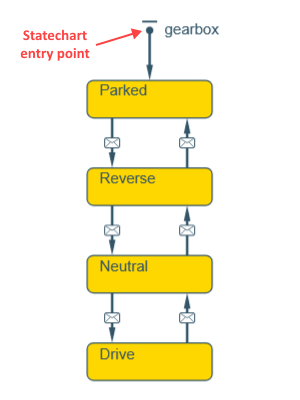
You can create several independent statecharts for the same agent, each of them describing a particular process. In this case, AnyLogic will distinguish the statecharts from one another by analyzing the number of statechart entry points.
Demo model: Statecharts for Car Engine and Gearbox Open the model page in AnyLogic Cloud. There you can run the model or download it (by clicking Model source files). Demo model: Statecharts for Car Engine and GearboxOpen the model in your AnyLogic desktop installation.To draw a statechart entry point
- Open the necessary agent’s graphical diagram.
- Drag the
 Statechart Entry Point element from the
  Statechart palette onto the graphical diagram.
- If the Statechart Entry Point is the first element in your statechart, now you can connect a new state to it.
- If the initial state is already on the diagram, the endpoint of the Statechart Entry Point element can connect to it automatically when dragged close enough.
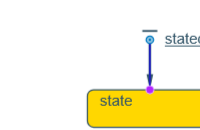
- When connected to the statechart, the Statechart Entry Point8 will point at the global initial state.
- General
-
Name — The name of the statechart. It is used to identify and access the statechart from code.
Show name — If selected, the name of the element is displayed in the presentation diagram.
Ignore — If selected, the statechart entry point is excluded from the model.
Action — Here you can specify Java code to be executed upon exit from the statechart entry point.
- Expert
-
Visible — If selected, the statechart entry point is visible in the presentation diagram.
-
How can we improve this article?
-